Key Takeaways
- A Facebook NFC plate helps you gather happy customer feedback with a simple tap.
- It bridges the gap between your physical shop and your digital Facebook Business Page.
- You do not need an app; it uses contactless technology that works on most phones.
- Having a QR code as a backup means every single customer can leave a review.
- Wooflo helps you connect your physical tools to your complete digital growth plan.
- Placing the plate at the right spot, like the checkout counter, brings the best results.
- Always ask for honest feedback to build real trust in your local community.
Getting people to trust your business is hard work. You provide great service, but sometimes happy customers forget to leave a good word online. They leave your shop, go home, and get busy. This is where a Facebook NFC plate changes everything. It is a smart, easy tool. It lets your customers share their happy thoughts before they even walk out your door.
At Wooflo, we know how to help you grow. We are your partner for local success. We blend physical tools with smart online help. Today, we will show you how to use a tap-and-scan tool to build pure trust.
What Is a Facebook NFC Plate?
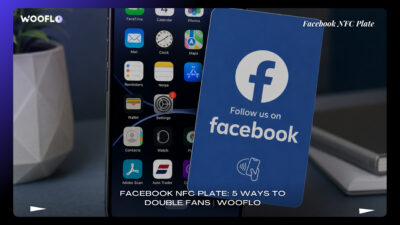
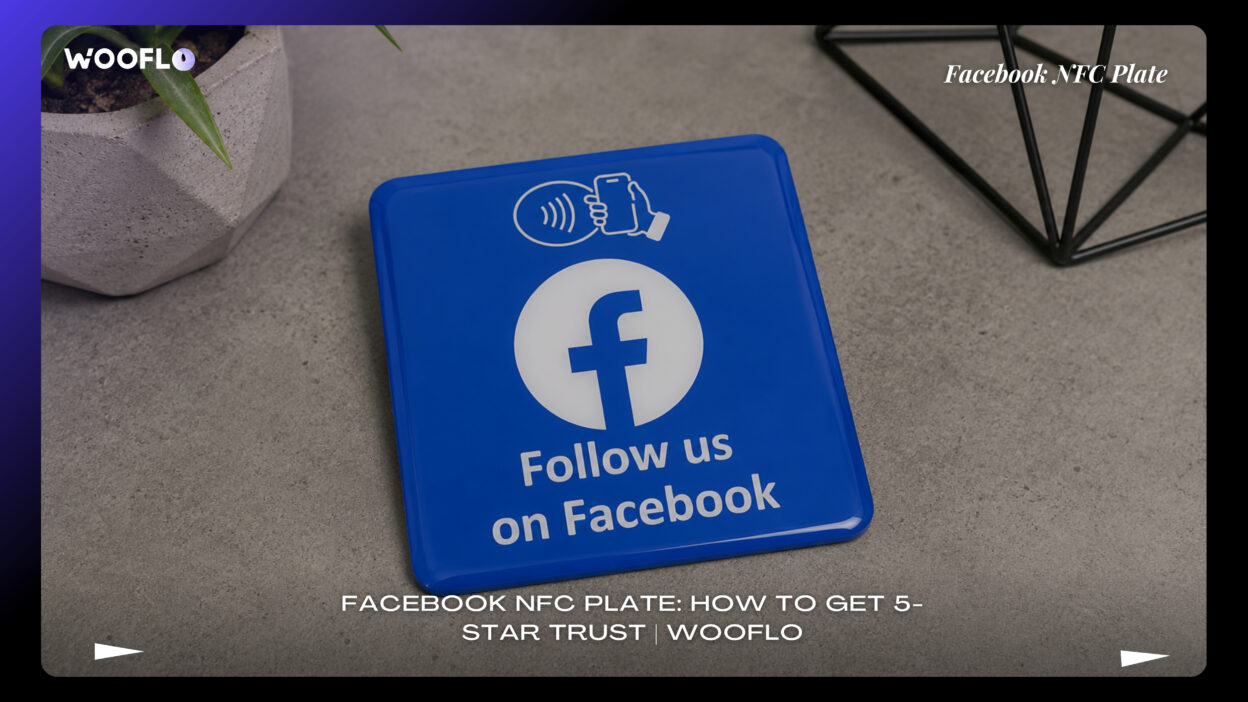
A Facebook NFC plate is a small, physical sign for your business. It is a smart review plate that sits on your counter. Customers just hold their phone near it. Like magic, their screen opens straight to your Facebook Reviews. They do not have to search for your name. They do not have to type anything to find you. It is a one tap Facebook review process.
You will see these called many names. People call them a Facebook review NFC plate, a Facebook NFC review stand, or a Facebook NFC plaque. No matter the name, the job is the same. It is a Facebook customer feedback stand that makes life easy for everyone.
How NFC Technology Works
Near Field Communication (NFC) is a clever piece of tech. It is the same contactless technology you use to pay for things at the shop. Inside the Facebook review plaque is a tiny NFC tag or NFC chip. It holds a hidden link.
When a customer brings their Apple iPhone or Android near the plate, the NFC reader inside their phone wakes up. It reads the chip. Then, it opens your Facebook Recommendations page. The NFC Forum makes sure this tech works smoothly on modern phones.
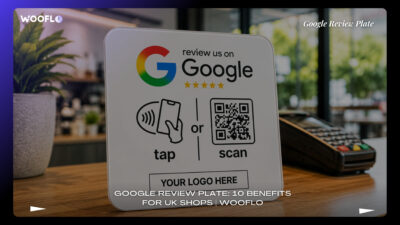
But what if a customer has an older phone? That is why a good Facebook NFC sign will also have a QR Code. A QR scanner is built into almost all phone cameras now. The customer just points their camera at the Facebook page review QR code, and the page opens. A dual Facebook NFC and QR plate is the best choice.
What Customers Can Do
When people tap your Facebook NFC display, they can do many things. The digital review plate can take them to:
- Leave a glowing recommendation.
- Follow your page to see your updates.
- Send a quick Facebook Messenger chat.
- Look at your photos and menus.
For a United Kingdom business, having a Facebook tap to follow plate or a Facebook recommendation stand builds a loyal community. It is a simple Facebook customer review tool that fits right into your daily routine.
7 Ways to Use a Facebook NFC Plate
You need to know how to use your Facebook review display the right way. Just putting it on a table is not enough. Here are seven simple ways to use your Facebook NFC table stand to grow.
1. Place It at the Best Moment
Timing is everything. You want to show your Facebook counter display when the customer is most happy.
If you run a food spot, a Facebook review plate for restaurants or a Facebook review plate for cafés works best near the till. If you run a pub, a Facebook review stand for pubs on the bar works well. For a salon, place your Facebook review sign for salons or Facebook review plaque for beauty salons right by the mirror.
A Facebook review stand for barbers catches the customer right after a great haircut. A Facebook review plate for clinics is perfect at the reception desk. Keep it where people naturally pause. A Facebook review sign for reception desk or a Facebook review plate at checkout gives them the perfect moment to tap.
2. Direct Customers to Facebook Recommendations
You want to collect Facebook business reviews. When a customer taps the tap phone for Facebook review sign, it should ask for a real recommendation.
Do not just send them to your main feed. Send them right to the review spot. This is why a Facebook recommendations NFC plate is so powerful. It makes the contactless Facebook review request very fast. When you increase Facebook recommendations, more local people in Great Britain will trust you.
3. Use Facebook and Google Together
Sometimes, you want to grow on more than one site. You might want to use a multi-platform review stand. This is a multi-link NFC review plate that lets the customer choose where to post.
They might tap the Google Facebook review stand and see options for Google Business Profile, Google Maps, or Google Reviews. They might see a Facebook Instagram NFC plate link or a Facebook TikTok review stand option.
If you use Reputation Management from Wooflo, we help you gather all these voices in one place. Whether it is a Facebook Trustpilot review stand or a Facebook TripAdvisor review plate, choices make customers happy.
4. Add a Clear Tap-or-Scan Message
Your Facebook review QR code plate needs simple words. Tell the customer what to do. You might write, “Tap or scan to share your visit.”
A custom Facebook QR code sign or a branded Facebook NFC stand looks very professional. If you want to look sharp, use a clear acrylic Facebook sign or a countertop Facebook review plaque. Make sure the Facebook QR and NFC sign is easy to read.
5. Train Staff Without Sounding Pushy
Your team should know how to use the review generation NFC stand. Tell them to ask nicely.
When a customer says, “I love this!”, your staff can say, “Thank you! You can tap this smart review plate to tell others.” This makes the Facebook social proof stand work naturally. It is the best Facebook review collection tool when your staff use it with a smile.
6. Track Results and Improve the Journey
You must watch your progress. Use Meta Business Suite to see if your Facebook review card UK is working. Look at your page views. Check if you get more Facebook recommendations.
At Wooflo, our AI Reputation Tool makes it easy to track your wins. When you see your online reputation management tool working, you will know your Facebook social media review stand is a success.
7. Keep Reviews Genuine and UK-Compliant
Trust must be real. Never pay for reviews. Always use your Facebook business page NFC plate to ask for honest thoughts. This protects your Facebook business reputation.
A trusted Facebook NFC review solution UK will always encourage real feedback. When you use your instant Facebook review link properly, people trust your brand deeply.
How to Set Up a Facebook NFC Plate
Setting up your Facebook tap to review stand is very simple. Anyone can do it. Follow these steps to get your Facebook follower NFC stand ready for your shop.
Step 1: Prepare Your Facebook Business Page
First, log into Meta. Look at your Facebook Business Page. Make sure your name, address, and times are right. Turn on the review option in your settings. If the reviews are off, your Facebook tap to review plate will not work.
Step 2: Choose the Best Destination Link
Decide where the scan QR code for Facebook review should point. Will it go to your main page? Will it go to your reviews? Get the exact web address. You will need this for your custom Facebook NFC plate.
Step 3: Program the NFC Chip
If you have a programmable NFC Facebook review card, you must write the link to the chip. You can use a free app on an NFC-enabled smartphone to do this. Just paste the link and hold the phone to the Facebook business NFC card. Now, the iPhone Android NFC review plate is ready to tap.
Step 4: Generate and Test the QR Code
Make a QR Code for the same link. Print this on your Facebook review QR stand UK. Always test it. Use a QR scanner on your phone. Make sure the NFC plate with QR code backup works perfectly in good light and bad light.
Step 5: Design and Position the Plate
Pick a strong material. An acrylic Facebook NFC plate or a PVC card is great. An acrylic Facebook review stand looks clean. A wooden Facebook review stand looks warm and rustic. Make sure you get a durable Facebook review stand. If you want your logo, choose a Facebook NFC plate with logo or a personalised Facebook review plate.
If you need high-quality tools, you can find NFC and QR Code Products to fit your style perfectly. You might also pair it with Digital Signage Products in your shop to catch the eye.
Step 6: Launch With a Staff Script
Put your UK made Facebook review plate on the shop counter. Tell your team how it works. Show them the NFC technology for customer reviews. Let them try the contactless review stand so they feel happy showing customers.
Choosing the Right UK Supplier
When you want to buy Facebook NFC plate UK items, you have choices. You want a trusted Facebook NFC plate British business tool.
Buy a Ready-Made Facebook Review Stand
If you run a small business, a ready-made plate is fast. You can order a Facebook review plaque UK delivery option and get it quickly. A Facebook review stand next day delivery service helps you start right away. These are usually a no subscription NFC review plate.
Choose a Custom Branded NFC Plate
If you want to show off your brand, buy a custom plate. You can get an editable Facebook NFC link so you can change it later. A custom Facebook NFC plate makes your point of sale (POS) area look very neat.
Use a Multi-Link Review Stand
If you want to offer Yelp, LinkedIn, YouTube, or Checkatrade links alongside Facebook, use a multi-link NFC review plate. An Facebook NFC and QR plate that acts as an NFC social media stand gives your customer choices. A QR code social media plate works well here too.
Work With a Local Marketing Agency
Sometimes, you need more than just a plate. You need a full plan. At Wooflo, our Wooflo Digital Marketing Services build your whole business. We look at your Facebook, your Instagram, your WhatsApp Business, and your TikTok. We tie your physical contactless technology to your digital growth.
Facebook NFC Plate vs QR Code Only
You might wonder if you only need a paper QR code. A paper code is cheap, but a Facebook NFC sign is much better.
When a customer sees a proper Facebook review stand for local business, they see trust. Tapping a waterproof Facebook NFC plate is faster than opening a camera app. A tap is instant.
A paper code can tear or fade. A solid acrylic plate or a smart digital review plate lasts a long time. Having both an NFC tag and a QR code on one display is the safest, best way to make sure everyone can leave a review.
Best Businesses for Facebook NFC Plates
Any place where people visit in person can use this tool.
- Retail business: A Facebook review stand for retail shops catches shoppers while they pay.
- Hotels: A Facebook review sign for hotels works nicely when guests drop off their room keys.
- Real Estate: A Facebook review stand for estate agents helps build huge trust for buying homes.
- Service Workers: A Facebook review plate for tradespeople is brilliant. Plumbers or builders can hand a card to the client when the job is done.
- Cars: A dealer can use this for Auto Trader trust, or an Auto Trader review link mixed with Facebook.
Read our Wooflo Case Studies to see how local shops grow when they use smart tools.
Common Facebook NFC Plate Mistakes
Do not make these silly mistakes. If you do, your Facebook review plate for business will sit there and do nothing.
Sending Customers to the Wrong Link
If your Facebook business review plate goes to a broken page, the customer will leave. Always check your link. Make sure the iPhone Android NFC review plate works on all phones before you put it out.
Forgetting QR Code Backup
Not everyone uses Apple Wallet or Google Wallet. Some people turn off their NFC reader to save battery. If you do not have a Facebook page review QR code as a backup, you lose reviews.
Asking at the Wrong Time
Do not ask for a review before the customer gets their service. A restaurant should not ask before the food arrives. Wait until they are smiling. Then, point to your Facebook counter display.
Making the Message Too Vague
If your Facebook QR code review stand just says “Hello”, no one will scan it. You must use clear words. Say “Review us on Facebook” so they know what to do.
Using Fake or Incentivised Reviews
Never offer free things just for a 5-star review. This is bad practice. Ask for an honest review. If your service is good, the stars will be high.
Facebook NFC Plate FAQs
What phones work with a Facebook review NFC plate? Almost all modern phones work. Any phone that can use contactless payments can tap an NFC chip. Older phones can just scan the printed QR Code.
Do I have to pay a monthly fee? Most of the time, no. A good no subscription NFC review plate means you buy it once and use it forever.
Can I use the plate for a WhatsApp Business chat? Yes. You can use a Facebook WhatsApp NFC plate to let people message you quickly instead of leaving a public review.
Is it safe? Yes. The chip only sends a link to the phone. It does not take data from the customer’s phone.
Build Customer Trust With Wooflo
A Facebook NFC plate is a wonderful way to grow your local trust. It makes leaving a review simple, fast, and friendly. When you make things easy for your customers, they reward you with kind words.
But a plate is just one piece of the puzzle. At Wooflo, we offer so much more. From Contact Wooflo support to complete digital plans, we are your growth partner. We combine the power of local marketing with smart physical tools. Let us help you turn every happy visit into a lasting 5-star reputation.
Contact Information:
- Email: info@wooflo.pro
- Website: https://wooflo.com/
- Google Maps: https://maps.app.goo.gl/pydw8rU9gncWBwCS6
- Google Link: https://share.google/tqL92yxlIrgPVjGdh
- Contact Number: +33 7 45 96 94 59